REVIEW · LONDON
London: Harry Potter Movie Location Tour with an APP
Book on GetYourGuide →Operated by Trippy Tour Guide · Bookable on GetYourGuide
Platform 9¾ is right on your route. This London Harry Potter movie locations walk turns real streets into recognizable scenes, guided by an app with story cues and film-making context.
I love how the stops are anchored to famous Potter moments you can actually see in daylight, especially Platform 9¾ and the view over the Millennium Bridge. I also like the format: 40+ narration points so you’re not just walking from one postcard to the next.
The main drawback is practical, not magical: the route can run long, and audio/GPS can be a bit touchy if your phone connection is weak or you don’t start the app correctly.
In This Review
- Key things that make this tour work well
- Getting Started: the Trippy Tour Guide app setup you can’t skip
- Westminster Station to Parliament Street: the tour’s London “opening scene”
- Trafalgar Square to Cecil Court: the streets that feel like Diagon Alley
- The Cursed Child theatre area and Tottenham Court Road: modern London with Potter DNA
- Platform 9¾: the photo stop that actually lands
- Millennium Bridge to Leadenhall Market: movie views in walking form
- Ending at Tower Bridge: how to finish strong
- Price and value: is $12 a smart deal?
- Who this tour suits best (and who should reconsider)
- Should you book this Harry Potter London app walk?
- FAQ
- How long is the Harry Potter Movie Location Tour?
- What app do I use for this tour?
- What do I need to bring?
- Do I need an internet connection?
- Where do I start and finish?
- Is an in-person guide included?
- What locations are included on the route?
- What languages are available for the audio?
- Can I control the audio as I walk?
- Is there free cancellation?
Key things that make this tour work well

- Platform 9¾ and Hogwarts Express vibes: you get a dedicated photo-and-story stop.
- Film locations that match what you remember: Westminster to Trafalgar Square hits classic backdrops.
- Diagon Alley’s real-life inspiration: Cecil Court and Leadenhall Market help you picture the movie sets.
- Self-guided audio control: stories play automatically, and you can start, stop, replay, or rewind.
- Short production “how it was made” moments: you’re pointed toward filmmaking secrets as you go.
Getting Started: the Trippy Tour Guide app setup you can’t skip
This is a self-guided audio tour delivered through the Trippy Tour Guide app, not the GetYourGuide app. That matters because your day starts before you even reach the first landmark.
Plan to do three things with Wi‑Fi:
- Install the app and download the specific tour
- Check your email for the instructions/credentials you’ll need to access it
- Arrive with your phone ready so you can launch the tour on-site and let the narration begin
Once you’re moving, the stories play automatically as you go. You control it, too: you can pause, rewind, or replay when you want extra time at a spot or when a street crossing gets noisy and distracting.
Practical tip: bring headphones and make sure your phone is charged. You’ll be walking for a few hours, and your battery is the limiting factor, not your enthusiasm.
A few more London tours and experiences worth a look



Westminster Station to Parliament Street: the tour’s London “opening scene”
The tour starts at Westminster Station, then moves down Parliament Street. This is a smart way to begin because you get that instantly recognizable London feel right away: big views, busy sidewalks, and a sense of being at the center of things.
Next comes Whitehall Garden, which gives you a breather. It’s a calm pocket on a route that otherwise leans loud and crowded. For your experience, that pause is more than comfort: it’s where you can actually hear the audio narration without competing traffic and footsteps.
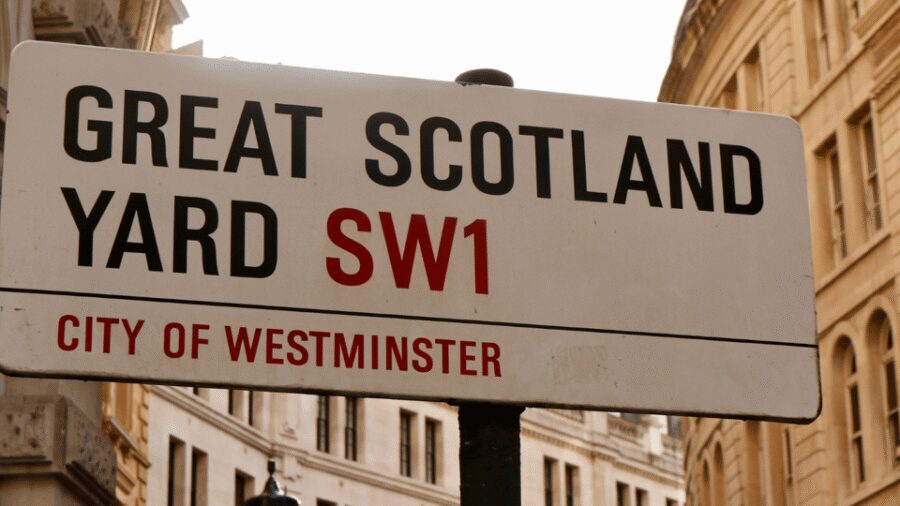
After that, you head toward Scotland Yard. Even if you’re not a crime-history person, it’s a useful stop because the tour connects the location to the Harry Potter London story beats, so you’re not just sightseeing—you’re matching filming-style storytelling to real geography.
What to watch: this early stretch is mostly walking, with a few crossings. If you know you’ll be stopping for photos, start the day with comfortable shoes. The tour is designed to be a continuous walk, not a series of long breaks.
Trafalgar Square to Cecil Court: the streets that feel like Diagon Alley
From Scotland Yard, you reach Trafalgar Square. This is one of those London anchors everyone recognizes, and it’s useful in a Potter tour because the square gives the audio narrative something big and cinematic to sit against.
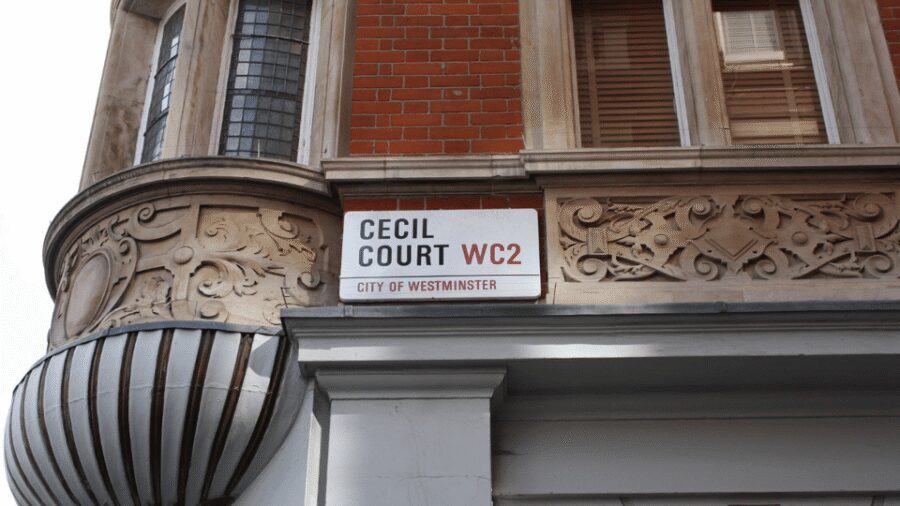
Then you go to Cecil Court, a quieter lane that the tour points to as part of the Diagon Alley connection. This is where you start getting the “film in the real world” effect: you’re not looking for an exact Harry Potter set behind glass. You’re seeing the kind of narrow, shop-lined street vibe that helps explain why certain locations were chosen.
If you like “spot the reference” moments, this area is where you’ll feel them most. It also helps that Cecil Court tends to be easier to photograph than the largest main roads.
A small consideration: because it’s a self-guided app tour, you’ll want to keep an eye on the phone screen so you don’t miss the moment the story cue switches streets. Once you’re in Cecil Court, it’s easy to lose time browsing instead of listening—try to do both, but don’t let the browsing push you off schedule if you’re trying to finish before evening.
The Cursed Child theatre area and Tottenham Court Road: modern London with Potter DNA
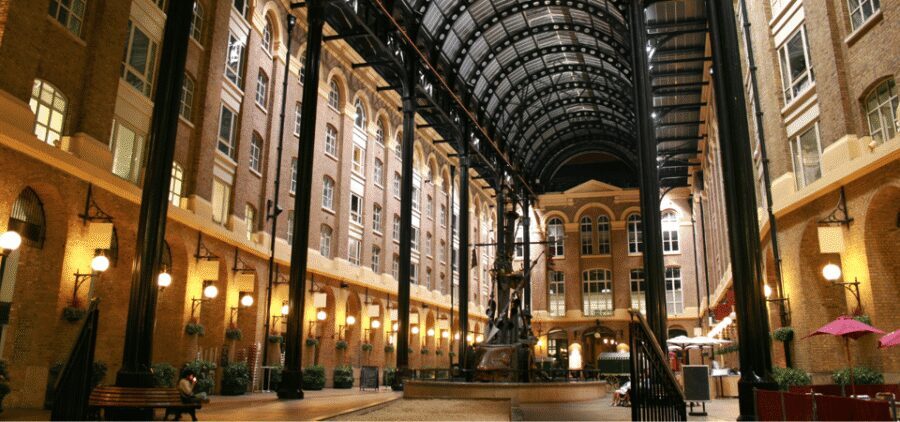
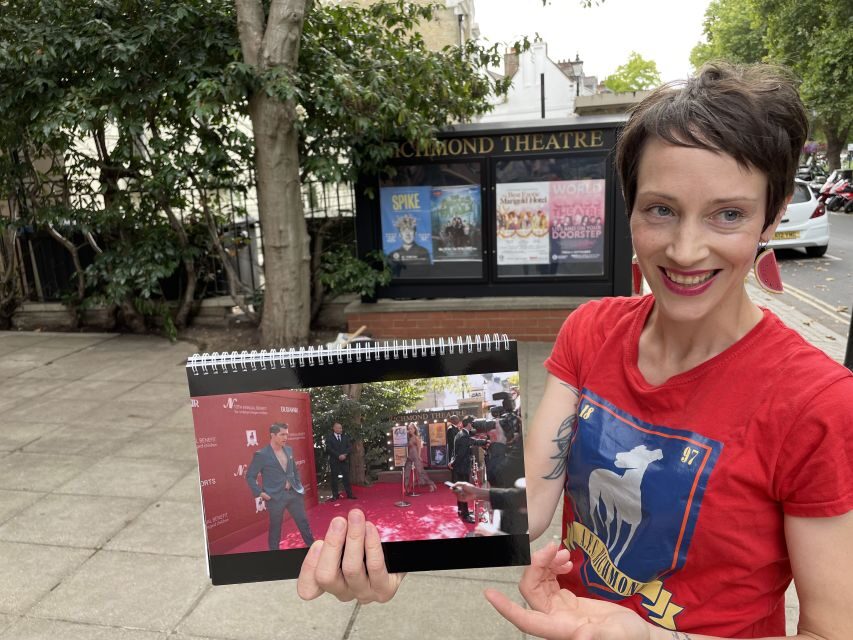
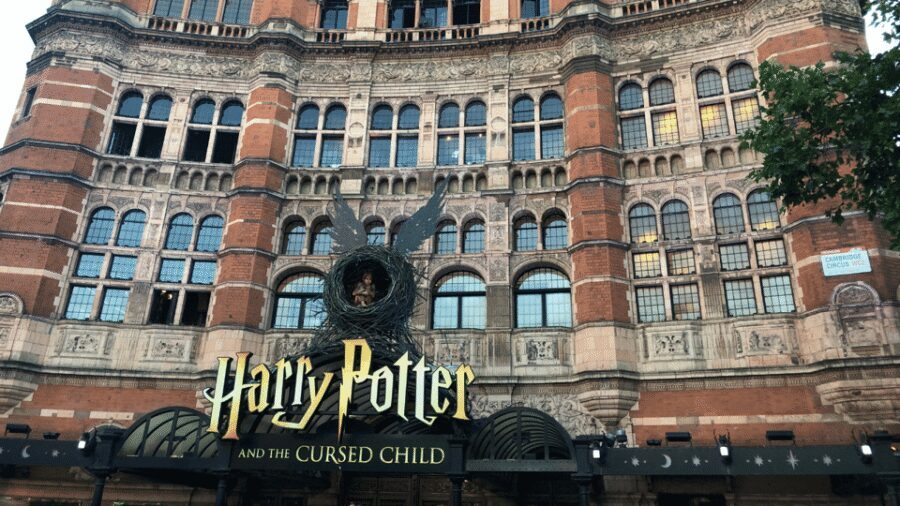
The tour includes a stop at the theatre showing Harry Potter and the Cursed Child. The key value here is perspective: you’re linking the movie locations to the living Harry Potter story world that’s active in London now.
Next comes Tottenham Court Road, another familiar Potter-fan name. Even if you don’t know every street detail, this stretch works because it’s walkable and central, and it keeps you in the middle of London rather than sending you far out.
What makes this portion feel good is the pacing. You’ve already had the dramatic big squares and the quieter lane. Now you’re moving back into a livelier corridor where the narration can connect Harry Potter’s fictional London to London’s real geography.
If you’re sensitive to audio timing, this is also where you’ll benefit from good phone reception. The tour’s stories can be automatic, but the app itself still needs your device to behave—especially for GPS assistance.
Platform 9¾: the photo stop that actually lands
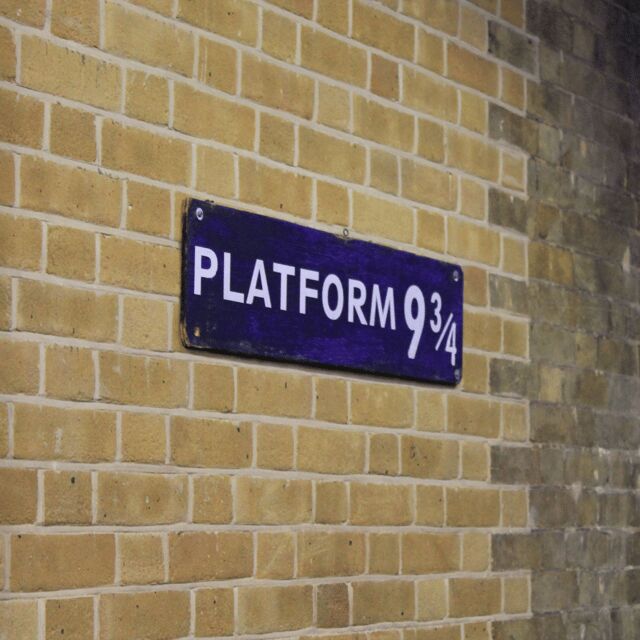
Then you reach Platform 9¾, where wizards and witches catch the Hogwarts Express. This stop is the emotional high point for a lot of people, because it’s the moment where the movie fandom becomes tangible: it’s a landmark you can frame, not just describe.
Since the tour is app-guided, you get a few things that guided groups don’t always offer:
- you can spend extra seconds (or minutes) for photos
- you can replay the narration if you want the story beat again
- you can keep moving when you’re done rather than waiting for a group
That flexibility is part of the value. You don’t feel rushed, but you also can’t pretend the stop will be “free time.” You’ll still be walking the rest of the route after.
Photo tip: watch your surroundings and keep your pace after the shot. In busy station areas, it’s easy to get stuck in foot-traffic patterns that cost you time without you noticing.




Millennium Bridge to Leadenhall Market: movie views in walking form

After Platform 9¾, the tour takes you across the Millennium Bridge, shown in the Harry Potter films. This crossing is one of the strongest “I recognize this” moments because it’s wide enough to feel cinematic, even though you’re experiencing it as a normal pedestrian street view.
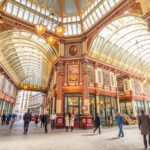
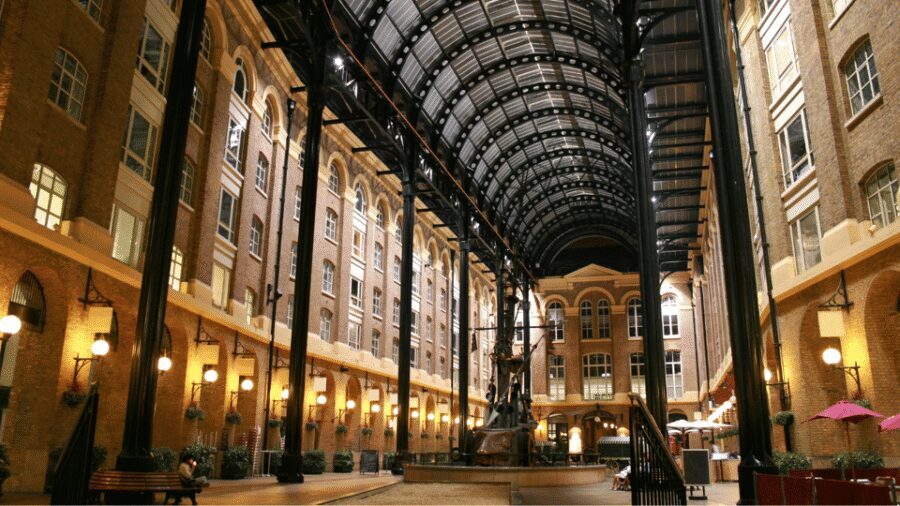
From there, you head to Leadenhall Market, which the tour treats as real-life Diagon Alley. This is another stop where the environment helps the story. Think of it as an in-between space: not outdoor-street, not sealed-museum—more like a textured corridor that lets the audio narrative play well.
This is also where the tour’s filmmaking focus becomes more meaningful. When you learn about how scenes were made, you’ll start noticing the practical reasons certain places work:
- where the camera could get angles
- how foot traffic and architecture help create depth
- why particular streets make sense for moving story action
Small timing reality check: if you’re already close to your personal 3-hour limit, the bridge-and-market segment is where you’ll feel it. It’s not just one point—you’ll be walking between them while the app keeps guiding you forward.
Ending at Tower Bridge: how to finish strong
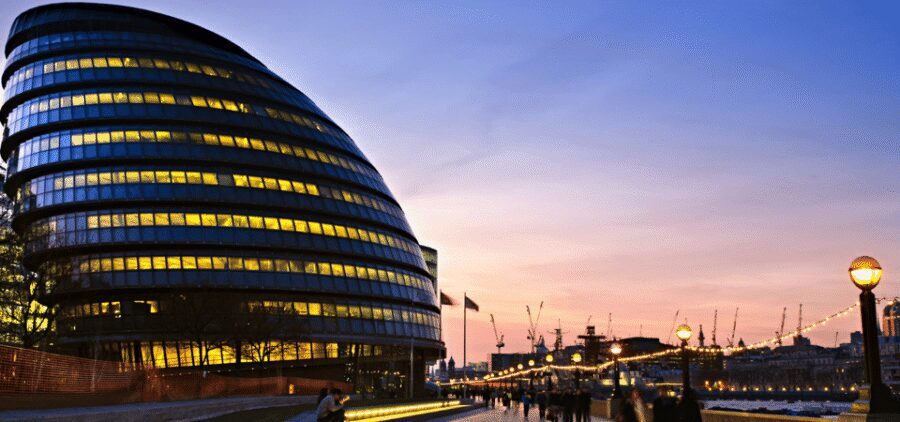
The tour concludes at Tower Bridge. Ending here is a good choice because Tower Bridge is instantly dramatic, and you’ll have a satisfying view to wrap the whole story.
If you’re the type who likes to linger, this is the best place to do it. You’ll have the most visual payoff at the end, and you’ve already done the trick of connecting Potter moments to the real city.
What I’d do to finish smoothly:
- keep an eye on your phone battery during the last stretch
- save your longest photo session for Tower Bridge (not the middle)
- if audio starts overlapping with crowds, pause and restart once you’ve found a quiet spot
Because the experience runs between about 2 to 4 hours, your ending time depends on how many photo breaks you take and how quickly the app cues you move from stop to stop.
Price and value: is $12 a smart deal?
At about $12 per person for a 3-hour app-based experience, you’re paying for convenience and storytelling structure, not for a bundled attraction ticket or a human guide.
Here’s the value logic that matters:
- You get audio in multiple languages (English, French, Spanish, German, Italian, Chinese).
- You get 40+ narration points with directions and filming context.
- You control pace, including starting, stopping, and rewinding.
You do not get included entry fees, and you won’t have an in-person guide to answer questions on the spot. So if your ideal tour includes deep local commentary from a person, this won’t replace that.
Still, if you like walking at your own speed and you’re traveling with a tight schedule, this price is the kind that makes sense. You’re basically buying a guided-feeling route without paying for a tour bus or museum ticket.
Who this tour suits best (and who should reconsider)
This tour is a great fit if:
- you’re a Harry Potter fan who wants real locations tied to recognizable moments
- you’re comfortable navigating by phone and you don’t mind checking your screen at intersections
- you like audio storytelling and want to control when you replay details
It may be a less ideal fit if:
- you get frustrated when audio/GPS doesn’t sync immediately
- you’re not a fan of long walking routes through central London
- you were expecting a short “greatest hits” sampler and not a 2–4 hour route
One recurring practical issue to plan for: the walking time can feel longer than expected once you account for station areas, crossings, and photo stops. If you’re coordinating with other plans the same day, build in buffer time.
Also, if your phone relies on weak internet, the app setup can be the difference between a smooth start and a stressful one. You’ll need a strong connection for downloading and credentials.
Should you book this Harry Potter London app walk?
If you want a self-guided way to see Platform 9¾, cross the Millennium Bridge, and connect Diagon Alley to real London streets, this tour is a solid buy for the money. The strongest points are the clear location anchors and the audio structure that turns walking into story.
I’d book it if you can meet the “tech basics” (headphones, charged phone, Wi‑Fi setup) and you’re okay with a route that can stretch toward the higher end of the time range. With an average around 3.5/5, it’s not perfect—but it’s clearly the kind of experience that rewards fans who show up prepared.
Skip or choose a different format if you want a faster, lighter route, or if you strongly prefer an in-person guide to handle directions and questions live.
FAQ
How long is the Harry Potter Movie Location Tour?
The duration is listed as 3 hours, but the walk takes about 2 to 4 hours depending on pace and stops.
What app do I use for this tour?
You access the tour through the Trippy Tour Guide app, not the GetYourGuide app.
What do I need to bring?
Bring headphones, a charged smartphone, the downloaded app, and water.
Do I need an internet connection?
Yes. You need a strong internet connection to install and download the tour using Wi‑Fi, and to access the tour instructions/credentials.
Where do I start and finish?
You start at Westminster Station and finish at Tower Bridge.
Is an in-person guide included?
No. Access is via the app, and there is no in-person guide included.
What locations are included on the route?
Key stops include Platform 9¾, the Millennium Bridge, Trafalgar Square, Cecil Court, the theatre showing Harry Potter and the Cursed Child, Tottenham Court Road, and Leadenhall Market.
What languages are available for the audio?
The tour audio is available in English, French, Spanish, German, Italian, and Chinese.
Can I control the audio as I walk?
Yes. Stories play automatically as you go, and you can start, stop, replay, or rewind the audio whenever you want.
Is there free cancellation?
Yes, you can cancel up to 24 hours in advance for a full refund.